Luma — Personal Dome Experience

Interaction Design Exhibition Design
Luma installation cover

Overview

Travel memories are deeply sensory — the quality of light in a particular afternoon, the colour palette of a city you loved. Yet when we try to share them, we reach for photos that show the place but rarely convey how it felt. Luma was an attempt to close that gap.

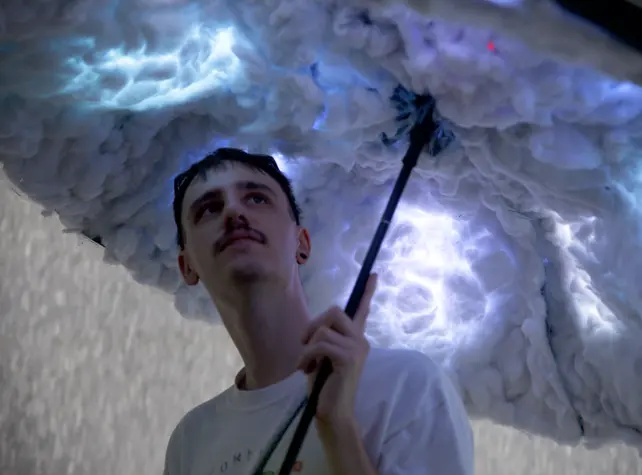
Luma is an immersive, physical installation that lets people re-live a travel memory inside a personal dome — an umbrella. Colours extracted from a user’s photo are translated into light and ambient sound, creating a calm, meditative space unique to that memory. In shared settings, two domes can approach each other and “contaminate” one another’s colour fields, turning private memory into a collective experience.

My role

I contributed to the initial concept and idea generation, and was hands-on during the creation of the phygital installation itself. Sara, as the engineer on the team, led the hardware and Arduino/ESP32 setup — I supported the prototyping process around her. My main individual lead was the user testing: I planned both testing rounds, facilitated the sessions, and synthesised the insights that drove our iterations between round one and round two.
Tools
  • Figma
  • Arduino/ESP32

Concept definition

Rooted in the metaphor of the umbrella as a personal dome, Luma explores how light and sound can embody memory. Photos become palettes, not pictures, preserving intimacy while evoking place. When multiple domes meet, their color fields blend—making memory sharing visible and felt.

Our process

Umbrella dome concept diagram

Our approach

As a project we decided to use as a prototyping approach the Research through Design approach, which consists in a way to experiment with future practices and experiences using objects that might be.

This way we aimed at researching the correlation between feelings experienced while traveling and the recall of these feelings through colors, in a personal and meditative space

Prototyping

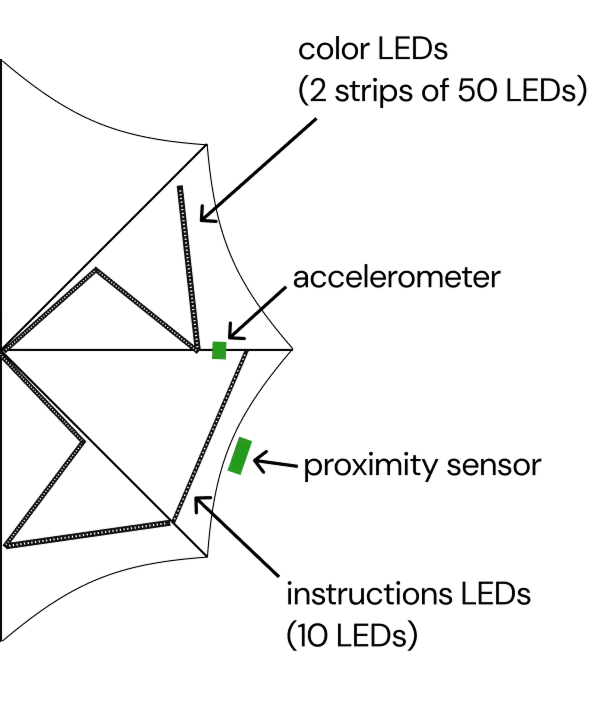
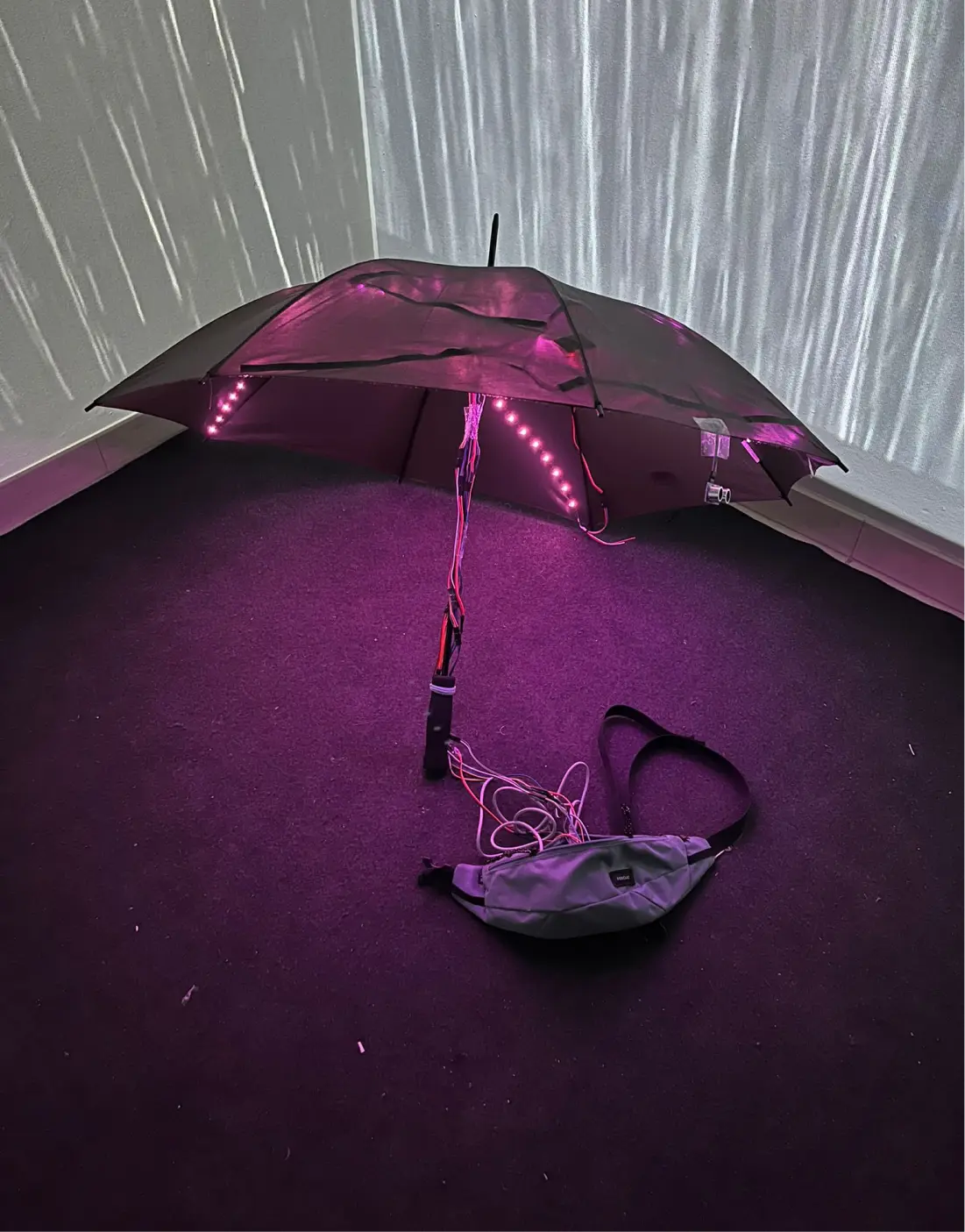
The first prototype we built was structured using the following hardware:

  • Arduino Uno - to manage all the connections and the logic behind each interaction.
  • Powerbank - to make the umbrella portable and allow the movement of the users.
  • Accellerometer - to detect the picking up of the umbrella and the twisting interaction.
  • Proximity sensor - to detect the presence of a second umbrella.
  • LED strips - that would function as the main interfact during the interaction.

the structure of the prototype
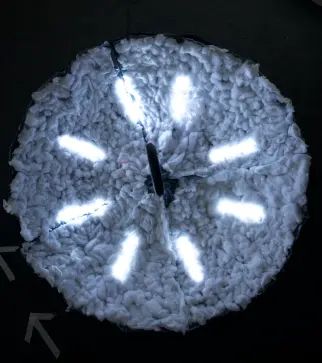
Umbrella protoype photo

Image processing

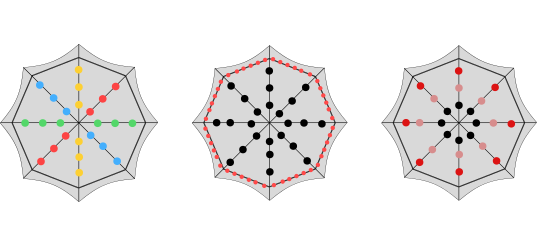
To process the images and transform them into the colors that would appear in the umbrella, we used sample images that would represent the ones that people could upload in an ideal scenario. The image would then be scaled and through a program we would detect the overall distribution of RGB colors, which would show before the twirling motion. After the twirling motion, the image would be divided into four sections and the average color of each section would then be represented in the umbrella LEDs.

The image processing process

User Testing

Round 1 (8 users)

The research questions we wanted to answer with our prototype were the following:

  • Does the action of twirling the umbrella feel natural to users?
  • Do users associate colors to images?
  • Do users understand the interaction between the two umbrellas getting close to each other?

To test the previous questions, we structured the interaction flow of the first exhibition in the following way:

Interaction storyboard

And decided to structure the testing session in the following way:

User testing

Through the observation of natural interaction of users in the environment and a questionnaire after the experience we discovered the following opportunities:

Interaction storyboard

Round 2 (16 users)

To solve some of the problems we encountered during the first testing session we decided to integrate the following changes in the prototype:

  • We decided to use a ESP32 board because:
    • Compact dimensions - to mount it on the umbrella and leave ease of movement
    • Wi-Fi - to send info remotely between user testing and not disrupt the test by having to connect the cable every time
    • Bluetooth - to sense the proximity with another umbrella
  • Longer cables because:
    • To connect everything in a solid way to allow actions like twirling (hidden not to make user worry of breaking prototype).
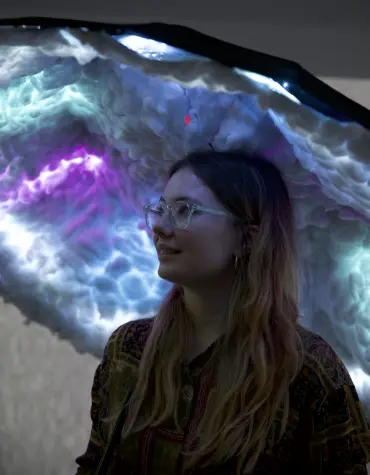
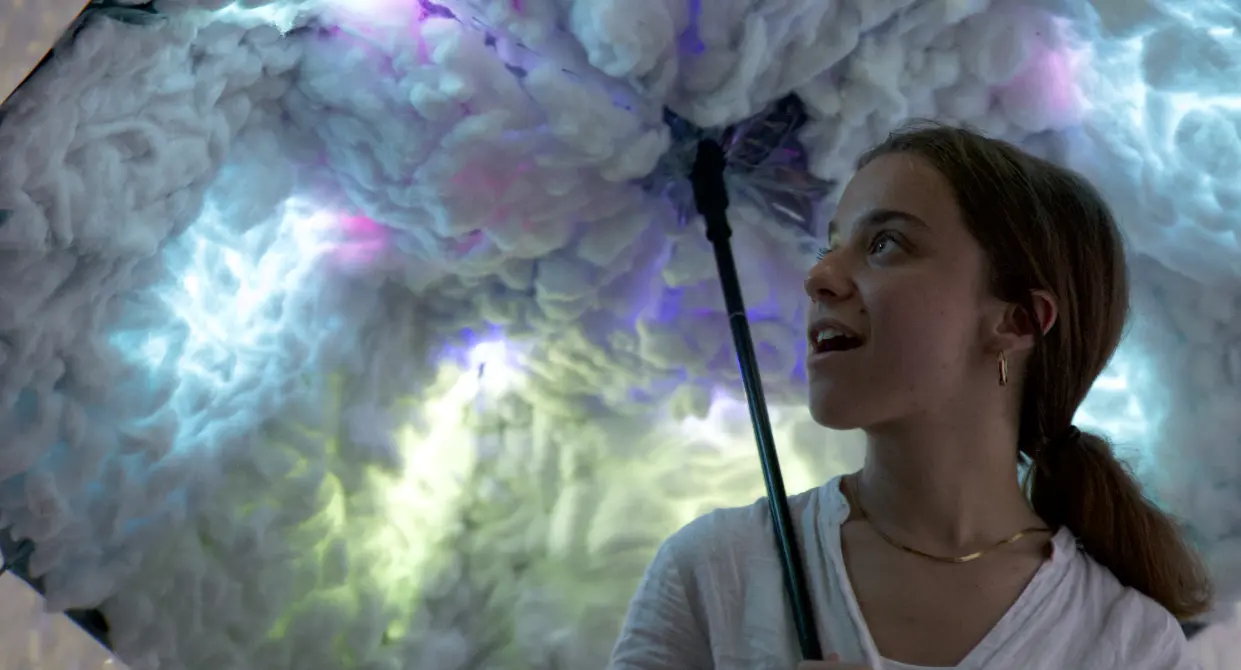
  • We covered the inside of the umbrella with cotton because:
    • it would help diffuse the lights of the LEDs
    • it would help hide the hardware (which was intimidating for some users)
  • We created a path to follow during the interaction because:
    • most of our users stayed still in the room during the user testing
    • to guide the user on two sides of the room moving towards the center of the room where the second umbrella interaction will have place

User testing
User testing

The new integrated interactions

interactions scheme

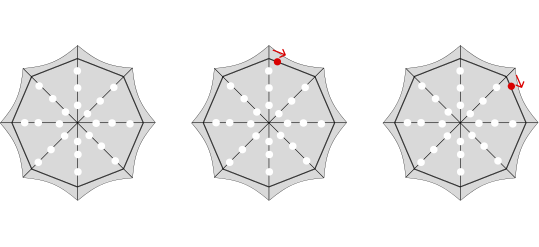
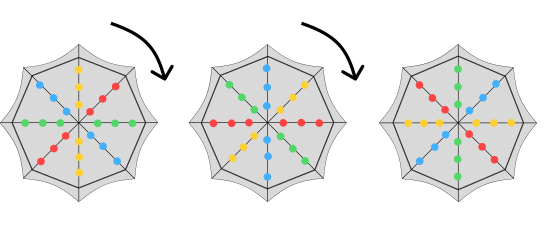
At the beginning of the experience a LED turning around the circumference of the umbrella would prompt the user to twirl it.

interactions scheme

After the twirl the colors of the personal image would continue spinning around the umbrella.

interactions scheme

When one umbrella would approach another one it would get contaminated with the other's colors.

New questions

The new set of research questions we wanted to answer with our prototype in this testing session were the following:

  • Are the general interactions such as the new twirl and blinking understood by users?
  • Is there a correlation between the feeling of the memory and colors?
  • Do users understand the interaction between the two umbrellas getting close to each other (considering the path)?

To test the previous questions, we structured the interaction flow of the second exhibition in the following way:

Interaction storyboard

The setting of the testing session

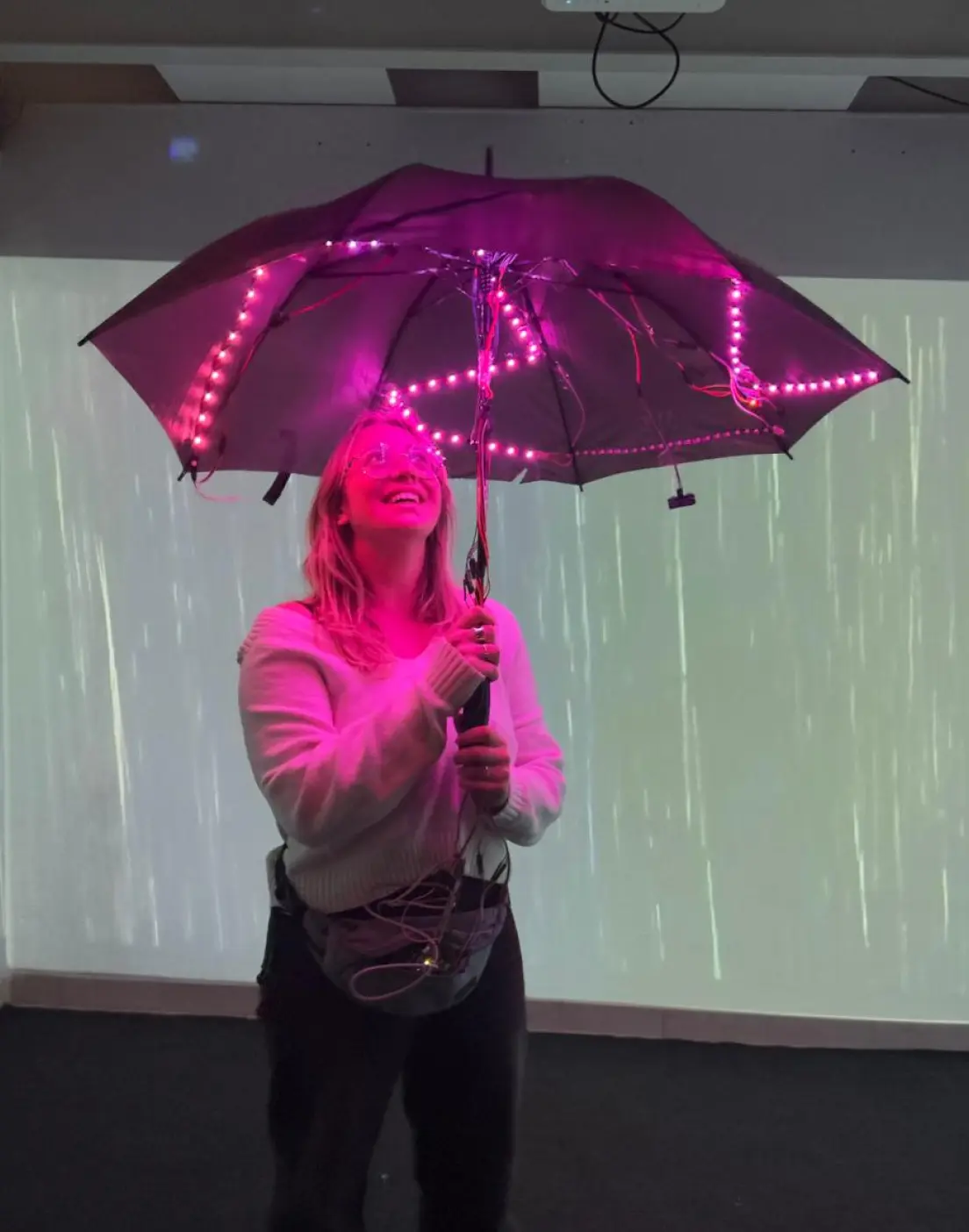
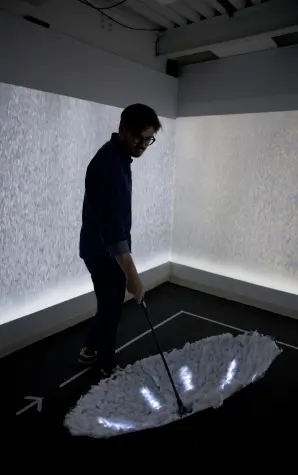
The testing session was conducted in a Politecnico di Milano's laboratory space (Edme Lab), that allowed us to create a meditative space, by projecting the looping video of rain falling on the three walls of a small room, and add the relaxing sound of rain during the whole experience.

The setting of the user testing
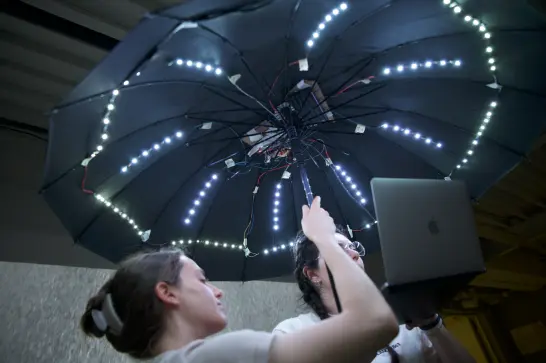
Photos during the user testing

Storyboard of the interaction

These are the main steps of how the interactive part of this project was conducted during this second testing session.

Storyboard of the interaction

Ideal Scenario

After the second, and last testing session we imagined the ideal scenario in which Luma would be used: in a public space, such as an exhibition, keeping the possibility of the user to experiment a personal or collective experience, based on their moods and wants.

Ideal scenario

Interaction flow

For the ideal interaction flow we integrated some of the ideas that were collected during the second testing's interviews and questionnaire.

Ideal scenario interaction flow

Reflection

Luma is the project I’m most emotionally attached to, because the design problem was fundamentally about feeling rather than function. There’s no right or wrong way to experience a memory — which made the design challenge much harder and more interesting than a typical UX brief.

Running the user testing was where I learned the most. The first round (8 users) quickly revealed that the interaction wasn’t as intuitive as we assumed: people didn’t naturally understand the twirling gesture, and many stood still rather than moving through the space. What I found valuable wasn’t just discovering those problems — it was realising how differently people experience the same interaction. One person found the colour blending between two domes deeply moving; another found it confusing. Designing for that range of responses, rather than a single “correct” reading, is something I think about in almost every project now.

The second round (16 users), after integrating a clearer path, the ESP32 upgrade, and the rain projections in the lab space, confirmed that context and atmosphere matter as much as the interaction itself. Setting shapes meaning. That’s a lesson that applies far beyond installation design.

Credits

Course: Embodied Interaction Studio (part of MSc in Digital & Interaction Design at Politecnico di Milano)
Professors: Fiammetta Costa, Carlo Emilio Standoli
Team: Camila Contreras, Francesco Scaramuzzi, Alessandra Sgariglia, Sara Sorrentino, Andrea Villarreal